Stop Wasting Ad Spend With UTM (WooCommerce)
Meta says 15 conversions; your Woo dashboard shows 3. Here's how to use UTM tagging discipline + a Wilson-score kill threshold to stop bleeding paid-ad budget on campaigns analytics can't actually measure — using only Statnive's Referrers report.
“When I run sales campaigns on Meta, it shows that 10-15 purchases have occurred, but in reality, there are no actual sales recorded on my website. This discrepancy is causing financial loss as I am spending money on ads, but my website is not generating any sales.” — @bagwani123, WordPress.org Meta-for-WooCommerce support, January 2025
This is the most expensive recurring complaint in the WooCommerce paid-ads world. The ad platform reports 15 conversions. The Woo dashboard shows 3. Either you’re hallucinating the gap or one of them is wrong — and you’ve been told both stories for years.
This post is the operating model that resolves the gap. Not by adding a sixth attribution tool, but by accepting what each tool actually measures and using Statnive’s UTM-tagged Referrers report as the visit-grain truth while keeping WooCommerce admin as the revenue truth.
What this post answers
- Why ad-platform conversions and Woo orders almost always disagree (and which to trust).
- The 5-rule UTM tagging discipline that makes Statnive’s Referrers report actually useful.
- The Wilson-score kill threshold for pausing campaigns without false positives.
- The iOS 17 reality: what broke, what didn’t, and what the workaround is.
Why Meta says 15 and Woo says 3
Three compounding effects:
- Different attribution models. Meta uses 1-day-click + 1-day-view (default in 2026) and credits view-throughs — visitors who saw the ad without clicking but bought within 24 hours. Woo’s order log records what actually happened on your site; it has no concept of “saw an ad somewhere else.”
- Different counted events. Meta counts
Purchaseevents sent via Conversions API or Pixel. If your Meta Pixel is loaded but your CAPI integration is misconfigured (very common), Meta inflates by including events that double-count or fail to deduplicate against the server-side event. - iOS 14.5+ Apple Tracking Transparency added probabilistic modeling on Meta’s side for visitors who declined app tracking. Meta fills the gap with statistical estimates. Those estimates are often wrong by 20-50% in 2026, especially for stores with smaller ad spend (under $1K/month) where Meta’s model has less data.
The honest reconciliation, by question:
- “How much revenue did I actually make?” → WooCommerce admin → Reports → Orders. Always. This is the only number that goes on a tax return.
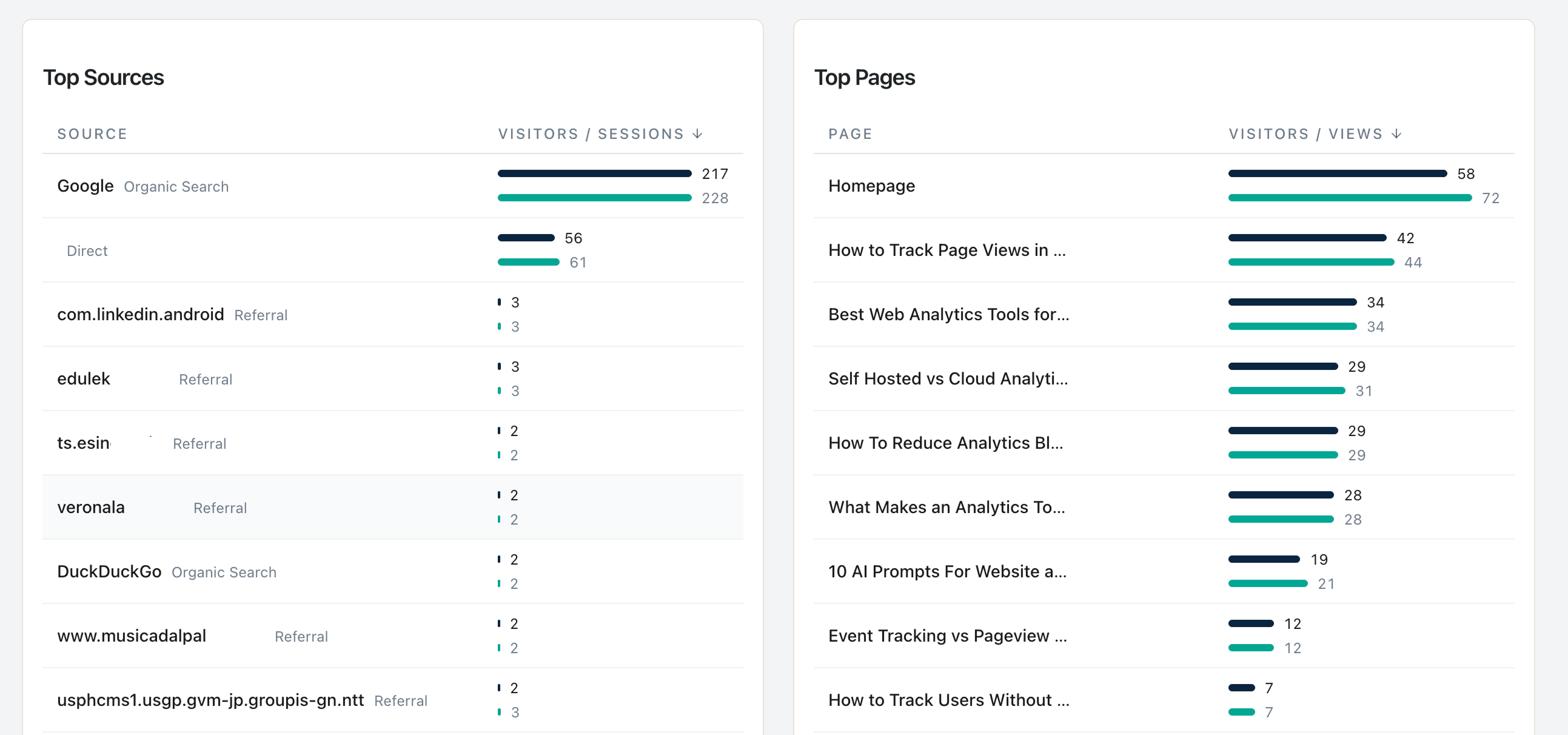
- “Which platform should I scale ad budget on?” → Statnive’s Referrers report cross-referenced with Woo orders, broken down by
utm_sourceandutm_medium. - “How do I optimize within Meta?” → Meta’s number, knowing it’s inflated 1.5-3× vs. ground truth.
Neither side is lying. They are answering different questions.
The 5-rule UTM discipline
If your UTMs are inconsistent, none of this works. The 5 rules:
Rule 1 — Lowercase everything
utm_source=Facebook, utm_source=facebook, and utm_source=FACEBOOK produce three separate rows in Statnive’s Referrers report (and every other analytics tool). Pick lowercase, enforce it everywhere. The fix takes 5 minutes; the noise from getting this wrong is permanent.
Rule 2 — One consistent vocabulary per platform
utm_medium should be one of a small fixed set: paid_social, paid_search, email, cpc, organic_social, affiliate. Pick yours. Document. Don’t deviate. (Google Ads’ default auto-tagging uses cpc — match it on your manual tags so your rollups are clean.)
Rule 3 — Never put UTMs on internal links
A link from your blog to your shop with ?utm_source=blog overwrites the original referrer in any analytics tool. The visitor who came in from Google search now looks like they came from your blog. Internal links should be plain — UTM tagging is for external links only.
Rule 4 — Tag every shareable link
Slack, WhatsApp, email clients, and Apple Messages all strip referrers. A link you DM to a friend from your podcast lands as Direct unless you tagged it with ?utm_source=podcast. Treat every shareable channel as untagged-by-default and tag manually. This is also the answer to the “where does my Direct traffic actually come from?” question — most of it is dark social with no UTM.
Rule 5 — One source of truth document
A Google Sheet. Columns: campaign name, platform, full URL with UTM, date launched, owner. Share with everyone who can publish a link. Update before each campaign launches, not after. This is the boring operational artifact that fixes 80% of UTM hygiene problems for solo stores.
The Wilson-score kill threshold
You launched a paid campaign. After a week, it has 200 visits and zero orders. Do you pause?
The Wilson-score binomial confidence interval gives the answer. For a campaign with n visits and zero conversions, the 95% upper bound on the true conversion rate is approximately:
CR_upper = 3.84 ÷ (n + 3.84)So:
| Visits with zero orders | 95% confidence: true CR below |
|---|---|
| 50 | 7.1% |
| 100 | 3.7% |
| 200 | 1.9% |
| 500 | 0.8% |
| 1,000 | 0.4% |
The practical solo-Woo rule: at 200 visits, zero orders, pause if your site baseline conversion rate is above 1.9%. That’s where the math says “you’re 95% confident this campaign performs below your site average and not by random chance.”
Three caveats (per Post 2’s channel-health rule caveats):
- Compare against intent-matched cohort. Paid-landing-page CR is different from blog-organic CR. Use the right baseline.
- Diagnose before pausing. A campaign might be failing because the landing page is wrong, the audience is wrong, or the UTM is broken. Check the obvious before killing.
- AOV asymmetry. If your AOV is above $200, a single conversion has more revenue impact, so double the threshold (400 visits with zero) before pausing. High-AOV stores can absorb more “no-result yet” data.
What broke with iOS 17 (and what didn’t)
The Apple-side change that matters: iOS 17 Link Tracking Protection, rolled out in late 2023 and tightened in iOS 17.2 (January 2024). It strips specific tracking parameters from links shared via:
- Messages (iMessage)
- Safari Private Browsing
- Some third-party apps that adopted the API
What gets stripped:
fbclid(Facebook click ID — Meta’s auto-tagging breaks)gclid(Google Ads click ID — Google’s enhanced attribution breaks)dclid(DoubleClick)- 30+ other proprietary click IDs
What does NOT get stripped:
utm_sourceutm_mediumutm_campaignutm_contentutm_term
The actionable conclusion: stop relying on click-ID-only attribution. Tag every paid ad with proper UTMs, and your attribution survives iOS 17. Statnive’s Referrers report captures the UTM fields directly; it never needed fbclid/gclid in the first place because it’s cookieless and uses your tracking parameters, not the platform’s.
The “Direct traffic mystery” — where it actually comes from
If your Direct share is above 25% of total sessions, you have a UTM hygiene problem. Most of that traffic is:
- Dark social — Slack/WhatsApp/email-client clicks (no referrer header).
- Email opens without UTMs on the links.
- Mobile app links that don’t pass referrers (especially iOS).
- Old marketing pages with UTMs that got stripped during a redirect.
- Internal-link UTM contamination (Rule 3 violation).
Almost none of it is “loyal brand visitors who typed your URL.” Brand-search traffic is a small percentage of “Direct” in any analytics tool. The fix is UTM discipline + checking for redirect chains that strip parameters.
The 5-minute weekly UTM audit
Once a week, during the 10-minute weekly review:
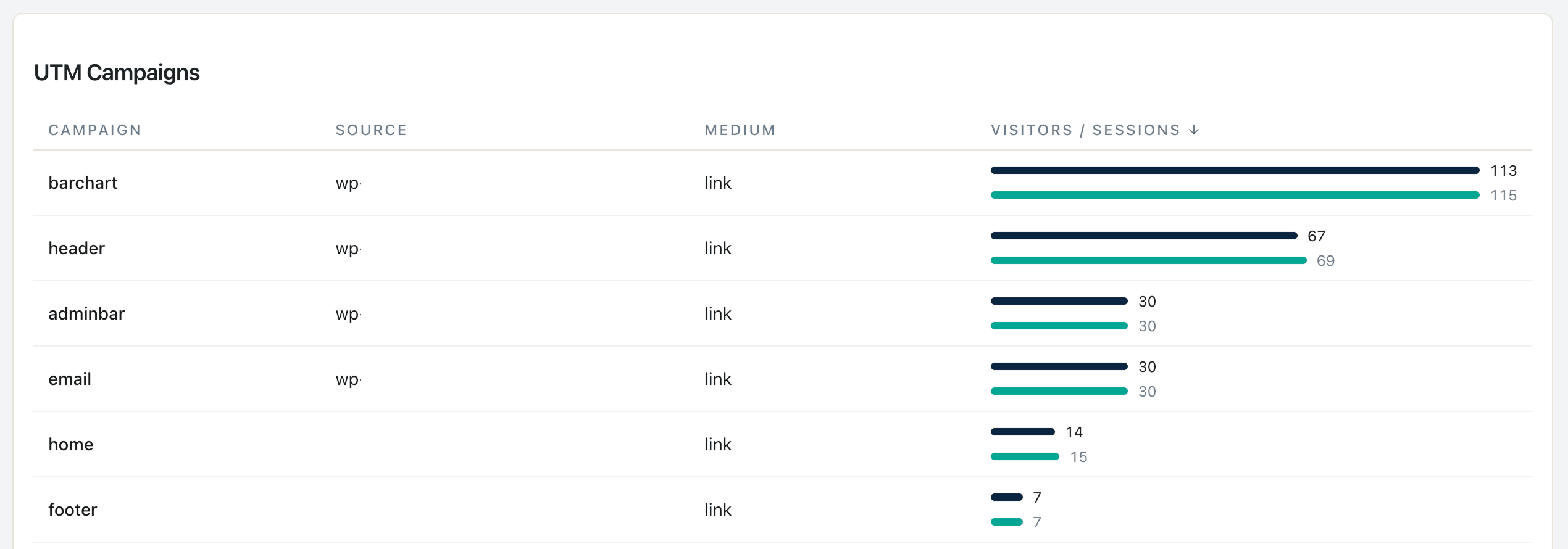
- Open Statnive → Referrers report → UTM dimensions.
- Filter to the last 7 days. Look at the distinct
utm_sourcevalues. - Spot any casing duplicates (
facebookANDFacebookANDFACEBOOK). Fix in the source-of-truth sheet; new campaigns going forward use the canonical form. - Check your Direct share. If > 25%, find which campaign is missing UTMs. Tag it for next month’s blast.
- Check your top campaigns against the Wilson-score kill threshold. Any at 200+ visits zero orders? Pause candidate.
What v1.0.0 changes — and what stays in the cross-reference workflow
As of v1.0.0 (May 2026), the Revenue Report’s Revenue by Channel table gives you per-channel revenue directly: Orders, Revenue (net), AOV across the 8 channels described above. The manual cross-reference shrinks:
- Channel-level (the headline question for budget allocation): Revenue Report → Revenue by Channel. Done in one tab.
- Per-UTM-source granularity (which specific campaign drove revenue): still cross-reference Statnive Referrers (UTM dimensions) with WooCommerce admin orders. A UTM-grain breakdown inside the Revenue Report is not a v1.0.0 dimension yet.
For the Wilson-score kill threshold above, channel-level data is enough — most channels with 200+ visitors and zero orders fail the kill threshold regardless of which specific UTM campaign drove the traffic. Use the v1.0.0 Channel breakdown to flag the candidate channels, then drill into Referrers (UTM) for the per-campaign confirmation.
What to do next
- Audit your last 90 days of UTM data in Statnive Referrers. Note any casing duplicates.
- Create the source-of-truth sheet (5 columns, 5 minutes).
- Apply the 5 rules to every new campaign starting today.
- Use the Wilson-score table above to decide which current campaigns to diagnose-before-pause.
- For the broader paid-ad CRO context, see the pillar on Privacy-First Analytics for WooCommerce CRO and Post 2’s channel-health playbook.
Stop chasing the Meta-vs-Woo discrepancy. Use each platform for what it’s honest about. Tag your links. Apply the kill threshold. The compounding savings on wasted ad spend are real.