AI Prompts for WooCommerce Analytics & CRO (Methodology)
Why most 'ask ChatGPT about my analytics' advice fails — and how to write Statnive-aware prompts that don't hallucinate revenue or invent products that don't exist. The 5-element prompt anatomy + 3 failure modes + the chain-prompt pattern.
A solo WooCommerce owner uploaded six months of order data to ChatGPT and asked for the repeat-customer rate.
It came back: 23.4%.
The actual answer, computed in SQL against the same data: 31.8%.
The owner pushed back. ChatGPT replied: “You’re right, the corrected number is 28%.”
Pushed again. ChatGPT: “Actually, on closer review, 19%.”
The model didn’t know. It guessed. Three times, with confidence, with three different numbers.
This is the most expensive failure mode in “AI for analytics” advice — the confidently-wrong answer that an owner trusts because the output looks polished. It happens to every solo Woo owner who tries to shortcut analytics by uploading a CSV and asking a vague question.
This post is the methodology that fixes the failure mode. The 5-element prompt anatomy. The 3 patterns AI fails on. The chain-prompt pattern that compounds insight without compounding hallucinations.
The 12 ready-to-copy prompts themselves live at the AI prompts library — this post is the why-and-how that makes those prompts work.
What this post answers
- The 5 elements every Statnive-aware AI prompt needs to avoid hallucination.
- The 3 ways AI most commonly fails on WooCommerce analytics — each mapped to which element was missing.
- The chain-prompt pattern: campaign-quality → UTM hygiene → kill-list, with hygiene rules.
- Which AI model to use for which task (and the honest case where SQL beats every model).
- The privacy line — what data is safe to paste, what to strip first.
The 3 most-common AI failure modes
Before the anatomy, the failures it prevents. From the gap-fill research:
Failure 1 — Confidently-invented causality
The model takes a correlation in your data and asserts a cause:
“Bounce rate is higher on mobile because users prefer mobile.”
That sentence is meaningless. Higher bounce on mobile is a fact; the cause could be page speed, above-fold layout, irrelevant traffic source, or a hundred other things. AI doesn’t know, but it writes as if it does.
Root cause: element 4 (output constraint) and element 5 (caveat acknowledgment) were missing from the prompt. The model wasn’t told to output hypotheses ranked by likelihood with explicit uncertainty markers.
Failure 2 — Generic ecommerce advice ignoring the data
You paste 6 months of channel-quality data. The model responds:
“Optimize your product photos, write compelling descriptions, and offer free shipping to boost conversions.”
None of that is wrong. None of that uses your data. The model defaulted to its training prior on “ecommerce CRO” because it couldn’t connect your specific data to specific recommendations.
Root cause: element 2 (data provision) was technically present but element 4 (output constraint) wasn’t tight enough. Without “every recommendation must reference a specific row in the data I provided,” the model defaults to generic advice.
Failure 3 — Hallucinated metric or column names
The model produces output that references columns that don’t exist:
“Best traffic source by ‘conversion path quality’: Paid Search scores 8.7.”
“Conversion path quality” isn’t a metric. The model invented it because your data had columns it didn’t fully understand, so it confabulated a metric name and assigned numbers to it.
Root cause: element 3 (schema grounding) was missing. The model wasn’t told what columns existed and what they meant.
The 5-element prompt anatomy
Every prompt in the 12-prompt library follows this structure. So should every new prompt you write.
Element 1 — Role priming
The first sentence of every prompt tells the model what to be:
“You are a CRO analyst for a solo WooCommerce store doing $5K–$50K/month.”
This single sentence cuts ~50% of the generic-advice failure. Without it, the model defaults to “AI assistant” which is too broad to be useful. With it, the model accesses its prior on “solo ecommerce CRO” which is the relevant training subset.
Specific is better than generic. “Solo WooCommerce store doing $5K-$50K/month” beats “ecommerce business” because it sets the size context — the model won’t suggest enterprise tactics (BI dashboards, attribution models requiring 100k+ events/month, headless commerce migrations).
Element 2 — Data provision
Always paste real data. Never describe it.
“Here is Entry Count, Bounces, and Total Duration for my top 10 entry pages: [PASTE CSV]”
The CSV doesn’t need to be huge — 10 rows is enough for most prompts. What matters is that the model has real numbers to ground recommendations on, not “imagine a typical store” which produces fabrication.
Format hygiene: paste as plain text or markdown table. Many AI tools degrade on Excel-formatted CSVs with leading equals signs.
Element 3 — Schema grounding
Tell the model what your tool measures and what it doesn’t:
“This data is from Statnive, a cookieless WordPress analytics plugin. It tracks visitors, sessions, pageviews, referrers, and engagement — but does NOT track revenue, conversion events, or per-product purchase data (yet). Every recommendation must be answerable from the columns I just provided.”
The “does NOT track” sentence is the magic. It blocks the model from suggesting analyses that require data you don’t have (“calculate revenue per session by channel” — you can’t, you don’t have revenue).
Element 4 — Output constraint
Force a structure. The model produces better output when constrained.
“Output as a table with 3 columns: page, hypothesis, experiment. Limit to top 3 entry pages. Each hypothesis must reference a specific column value from my data.”
This is where the “must reference specific column value” line earns its keep — it converts vague advice into traceable, verifiable recommendations.
Element 5 — Caveat acknowledgment
Tell the model what it can’t know:
“You cannot see my ad spend, profit margins, customer email list size, or business model. Treat your output as hypotheses for me to validate, not verdicts. If the data is insufficient to draw a conclusion, say so explicitly.”
This element produces the single most-valuable output: “Insufficient data to recommend X — would need column Y to assess.” Models that don’t get this caveat fabricate confident answers instead.
The chain-prompt pattern (and its hygiene)
Single prompts answer single questions. Chains answer compound questions.
The canonical example: campaign waste audit.
Stage 1 — Campaign quality audit:
Prompt 4 from the library. Input: UTM source/medium/campaign + sessions/bounces/duration. Output: campaigns to scale, fix, or pause.
Stage 2 — UTM hygiene cleanup:
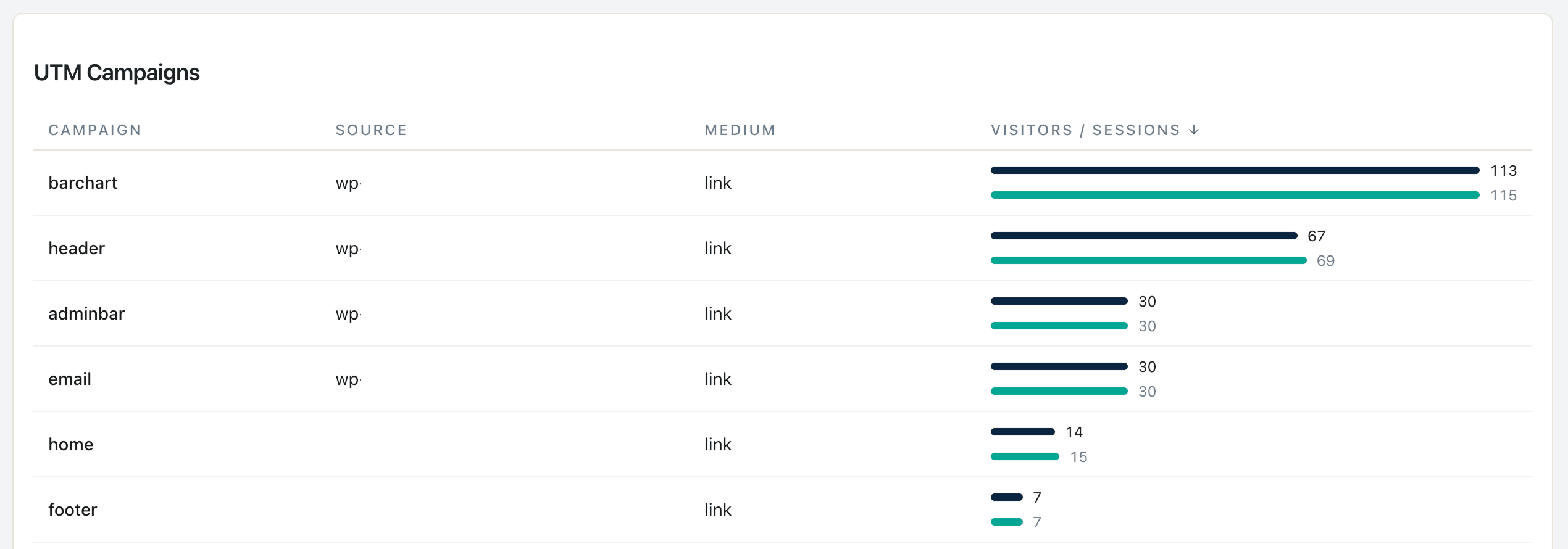
Prompt 5 from the library. Input: distinct UTM values from the last 90 days. Output: casing inconsistencies, naming-scheme proposals.
Stage 3 — Kill-list decision:
Custom prompt. Input: Stage 1’s “pause” list + Stage 2’s “broken UTM” list. Output: final list of campaigns to actually pause this week, with diagnostic note per campaign.
Three stages, one outcome (the kill list), much higher signal-to-noise than asking one mega-prompt to do all three.
Chain hygiene (the boring but critical rules):
- Re-state the role at every stage. Don’t assume context carries forward — every new conversation turn risks reset.
- Re-paste the data slice each stage needs. Don’t reference “the data from earlier” — paste the relevant subset again.
- Quote previous output verbatim. When using Stage 1’s output as Stage 2’s input, paste it as quoted text. Don’t summarize.
- Never exceed 4 stages without owner review. Each stage adds drift; long unreviewed chains compound errors.
- Stop at the first hallucinated metric. If Stage 2 invents a column name, restart with tighter schema grounding (element 3). Don’t keep chaining.
Which model for which job
A practical breakdown after testing across ChatGPT, Claude, and Gemini on the 12-prompt library:
| Job | Best model | Why |
|---|---|---|
| Hypothesis generation (broad) | ChatGPT | Most aggressive at producing diverse hypotheses |
| Honest “I don’t know” answers | Claude | Most calibrated about uncertainty |
| Structured-output adherence | Gemini | Best at staying within JSON/table formats |
| Quantitative analysis (math) | ChatGPT with Code Interpreter | Actually runs Python, eliminates hallucinated numbers |
| Long-context analysis (10K+ tokens of data) | Claude (Opus or Sonnet) | Best context retention without summarization drift |
| Quick one-off prompt | Whichever you have open | Honestly, for short prompts the differences are minor |
The honest case where SQL beats every model:
For specific quantitative questions (“what’s my repeat-customer rate?”, “what’s the revenue per session per channel?”), running SQL against your WooCommerce database produces the correct answer in milliseconds. The AI can hallucinate; SQL cannot. Use AI for hypothesis generation and pattern recognition; use SQL for the actual math.
If you don’t write SQL, ChatGPT’s Code Interpreter (or Claude with the analysis tool) bridges the gap — it generates the SQL from your prompt, runs it on your CSV, and returns the answer with the computation visible. That’s distinct from regular chat mode where the model guesses numbers from context.
The privacy line — what’s safe to paste
Statnive’s exports are already privacy-clean:
- Pages report — URL paths. Safe.
- Referrers report — source/medium/campaign + domain. Safe.
- Geography report — country/city/region. Safe.
- Devices report — device type, browser, OS. Safe.
Things to strip before pasting:
- Thank-you page URLs —
/order-received/12345/contains a unique order ID. Replace with/order-received/[id]/before pasting to avoid leaking identifiers across AI providers. - Customer-name-bearing URLs — some plugins create user-account URLs like
/my-account/orders/john-smith-2024/. Strip the name segment. - Search-query URLs —
?search=customer's-personal-thingcan leak intent. Strip if you don’t want it in AI training data.
Nothing in Statnive’s reports contains email addresses, IP addresses, payment info, or shipping addresses. The above are edge cases for URL-path-leaked identifiers, not the main report contents.
Why this beats “just ask ChatGPT what’s wrong with my store”
The most common failure pattern on r/WooCommerce and r/ChatGPT looks like this:
“My store isn’t converting. What should I do?”
The model responds with a 12-point listicle of generic ecommerce CRO advice. None of it is actionable on the owner’s specific store. The owner walks away thinking AI is useless for CRO.
The 5-element prompt anatomy fixes this. Same question, structured:

“You are a CRO analyst for a solo WooCommerce store doing $20K/month. Here is my last-30-day channel data from Statnive’s Referrers report (cookieless, no GA4): [CSV]. Statnive does not track revenue or per-product events yet. Identify the 3 channels with the worst bounce/duration ratio. For each, list 3 hypotheses that reference the specific row data. Output as a table. If you need data I haven’t provided to answer, say so explicitly.”
Same model, same data, dramatically different output. The structure does the work.
What v1.0.0 adds, and what’s still on the roadmap
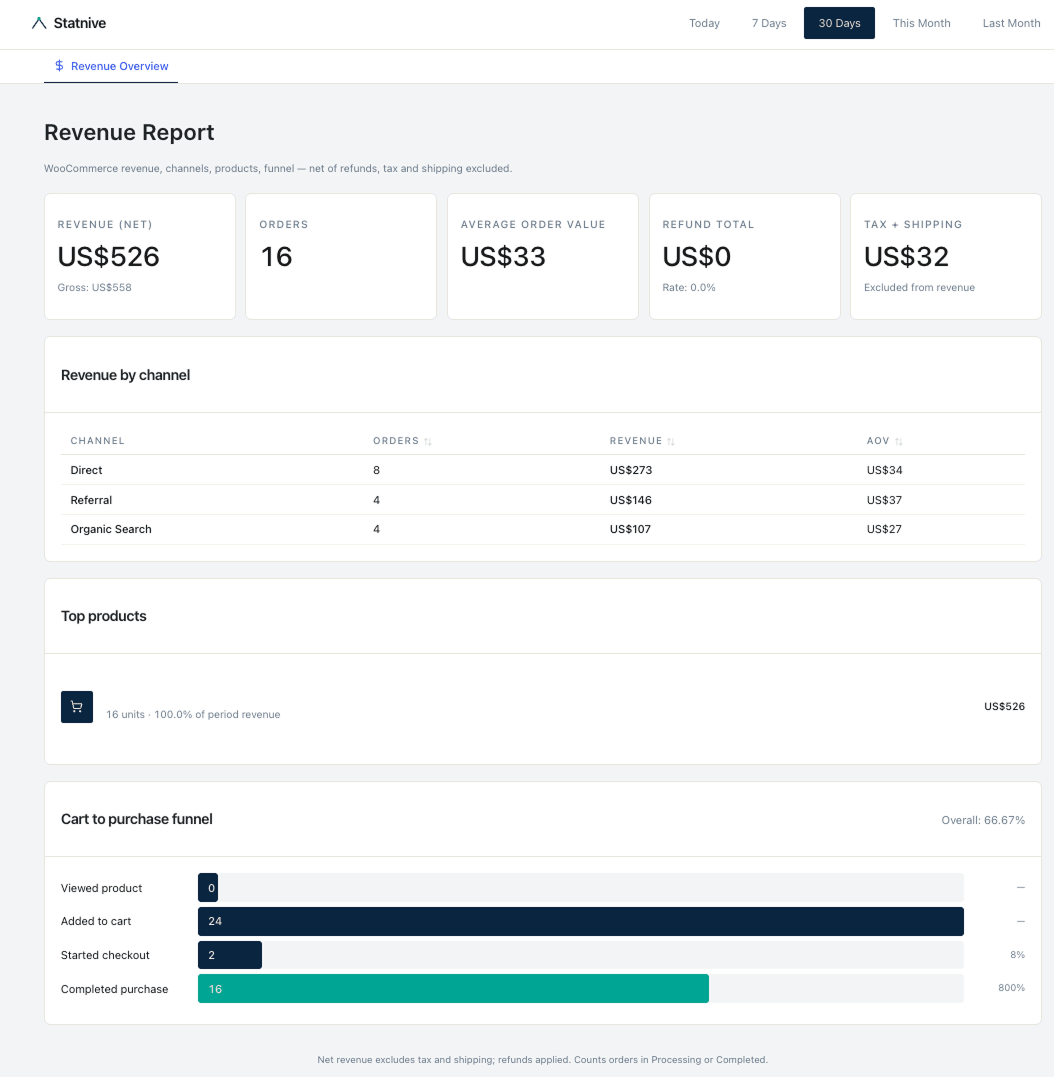
As of v1.0.0 (May 2026), the Revenue Report unlocks revenue-aware AI prompts. The 12-prompt library already incorporates Revenue Report data: per-channel revenue (prompt 4), funnel drop-off diagnosis (prompt 11), revenue-per-channel budget allocation (prompt 12).
Still on the roadmap (Growth tier, planned 2026):
- Automated weekly AI executive summary. Run all 12 prompts against your store’s data and email the consolidated report — instead of you running each manually. This is a paid-tier feature; the manual workflow with copy-paste prompts stays free.
- Anomaly-triggered prompts. When the Revenue Report sees a significant week-over-week deviation, auto-run the corresponding diagnostic prompt and surface the AI’s read inside
/wp-admin. Also a planned Growth-tier feature.
What to do next
- Bookmark the 12-prompt library.
- Run prompt #1 (weekly review) this Monday on your store’s Overview data.
- When the output is poor, audit which of the 5 elements was missing from the prompt. Strengthen and re-run.
- When you need a new analysis question the library doesn’t cover, use the 5-element anatomy to write your own prompt.
- For the full CRO operating system, see the pillar on Privacy-First Analytics for WooCommerce CRO.
AI for WooCommerce CRO works — when the prompt is structured. Generic prompts produce generic advice; Statnive-aware prompts produce decisions.